Seeing What Claude Builds
How I fixed the one thing keeping me tethered to my desk — and finally started getting my money's worth out of a Claude Code Max subscription.
TL;DR — Cloudflare tunnel + Claude Code hooks = preview localhost from your phone, turning a desk-bound subscription into an anywhere workflow.
Fair warning (April 2026): AI tooling moves so fast that half of what I write here might be a built-in feature by the time you read it. Claude Code ships updates weekly. If you’re reading this in October and thinking “why didn’t he just use [obvious thing]” — that obvious thing probably didn’t exist yet. I’m writing this anyway because the core problem is real, and the approach generalizes even when the specific tools don’t.
I pay for Claude Code Max.
It is not cheap. And because it’s a flat monthly subscription, the math is brutally simple: the more hours you use it, the cheaper each hour gets. The fewer hours you use it, the more expensive the hours you did use become. It’s a gym membership for AI, and I was doing the equivalent of going twice a week.

I did the math on myself a few weeks ago and immediately regretted it. I was using Claude Code maybe five or six hours a day — the hours I happened to be physically sitting at my desk. The other ten or twelve waking hours? Top-tier AI coding agent, fully paid for, sitting completely idle. Because I was on the couch, or at the gym, or in bed, or at a cafe, or commuting, or just… not at my laptop. My unlimited AI subscription was effectively a desk-chair subscription.
This post is about what I had to fix for that to stop being true. Spoiler: it was exactly one thing, and it was deeply, embarrassingly boring.
The missing piece wasn’t remote control
Let me get this out of the way because it’s the first place everyone’s brain goes: “just SSH into your machine from your phone.” Yes. I know. I already do that. Any developer who’s comfortable with a terminal has five different ways to drive Claude Code remotely — SSH over Tailscale into a tmux session, the Claude Code web app on a phone browser, a desktop-sharing tool, an iPad with a keyboard, carrier pigeons carrying USB sticks. All of them work. This problem was solved years ago. Typing to an agent from a phone is not the bottleneck.
The bottleneck is what happens after the agent finishes typing back.
If Claude did something I can read — wrote a function, refactored a module, fixed a bug — I’m fine. Diffs on a phone screen are cramped but legible. Test output works. Git logs work. Reading code on a small screen is unpleasant but functional.
The problem is when Claude does something I need to see.
The actual problem: localhost is invisible
Most of the work I actually care about is visual. Design iteration. Layout changes. Typography decisions. Color adjustments. Spacing rhythm. The whole category of work where a diff tells you what changed but not whether it looks right. You have to look at the running thing.
And the running thing was always localhost:4321 on my Mac. Which I could only see from my Mac. Which was at the desk. Which I was not at. A perfect closed loop of uselessness.
I tried the usual workarounds. They were all bad.
- Push to Vercel preview every few minutes. Slow, pollutes git history with
wipcommits, and kills the tight feedback loop that design work needs. Commit-push-wait is not a creative workflow. - Screenshot the browser remotely. Disconnected from reality. Doesn’t capture hover states, transitions, or anything dynamic. It’s like judging a restaurant by photographing the menu.
- Wait until I’m back at the desk. The “solution” I actually used, which meant 70% of my waking hours were off-limits for UI work. Incredibly rational. Very cool.
What I needed was embarrassingly specific: take the dev server running on my Mac right now and look at it from my phone right now. No commits. No deploys. No waiting.
The fix (it’s one command)
The answer turned out to be a tool I’d vaguely heard of and never bothered to try.
Cloudflare Quick Tunnels. One command: cloudflared tunnel --url http://localhost:4321. It spits out an ephemeral https://<random-words>.trycloudflare.com URL that proxies straight to your local dev server through Cloudflare’s edge network. No account. No DNS. No config file. No port forwarding. No credit card. I run it on my Mac, I hit the URL from my phone, Cloudflare routes through Singapore, total round trip about eighty milliseconds. Indistinguishable from local.
That’s the entire fix. One command. The whole difference between “I have to be at my desk” and “I don’t” was one command I hadn’t bothered to run.
I stared at it for a while after it worked the first time. Months of “I can’t do UI work away from my desk” and the answer was brew install cloudflared. Sometimes the universe is just testing whether you’ll Google the obvious thing.
Making it automatic (because I don’t trust myself)
Part one was the tunnel. Part two was making sure I never have to remember to start it — because the moment a workflow depends on me remembering something, that workflow is already dead.
I wrote a small hook attached to Claude Code’s PostToolUse event. Whenever the agent runs a dev server command — astro dev, next dev, vite, pnpm dev, whatever — the hook detects it, waits for the port to go live, spawns cloudflared in the background, grabs the public URL, and feeds it back to the agent as a system message. Claude sees the URL, tells me about it, and I tap it on my phone.
From that point on: every dev server, every project, every session, the tunnel just appears. I never ask for it. I never think about it. It’s not a feature. It’s plumbing.
Specs and docs too, while we’re at it
The tunnel fixes visual preview, but specs and design documents are just text. I built a tiny markdown preview server that renders any project’s docs/*.md files as styled HTML with auto-refresh. Run it with --tunnel and every spec Claude writes is instantly phone-readable. No deploy, no Notion copy-paste, no “I’ll read it when I’m back at my desk.”
The harness matters more than the tunnel
The tunnel is the headline fix, but the thing that actually changed my workflow is the harness — the combination of hooks, skills, and automation that turns individual clever hacks into something that works without supervision.
The auto-tunnel hook is one piece. The bigger unlock is the broader ecosystem: Superpowers for structured workflows (brainstorming, test-driven development, verification gates), language-specific reviewers, frontend design skills. Install them, wire up hooks for your most repetitive patterns, and suddenly the agent makes good decisions without you hovering over it. Which is important when you’re not hovering over it because you’re on your phone at the gym.
What it actually bought me
Last night I designed, built, and reviewed a complete redesign of this website — career section, timeline, hero animation, code blocks, palette, motion — without sitting at my desk once. My MacBook was at home with its lid closed. I was on my phone at the gym, then on the couch, then in bed.
Every thirty seconds a new iteration showed up in my browser. Every few minutes the running dev server reloaded with real changes at a trycloudflare.com URL. I tapped decisions. Rejected things I didn’t like. Asked for the hero animation to feel “less corporate.” Watched it change. All from a phone screen.
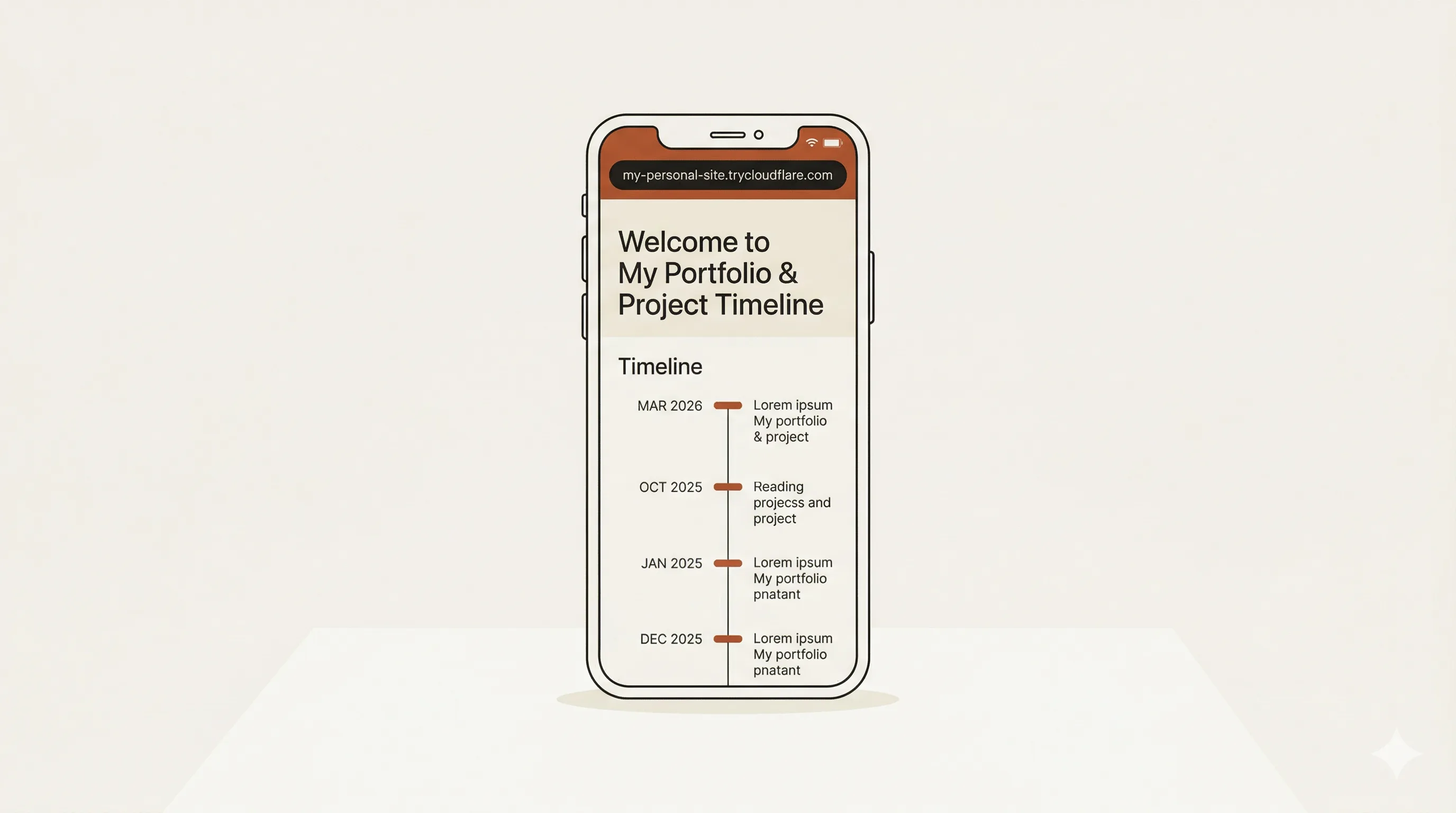
The tokens I spent were spent on the actual work — “should career come before writing, is that terracotta too warm, does this timeline look too LinkedIn” — not on “please install cloudflared” or “please remember I use Astro.” The setup tax was paid once. The subscription went from desk-chair pricing to couch-and-gym-and-bed pricing overnight.
What this still doesn’t unlock
I’m not going to pretend the desk is dead. Pixel-level polish, deep debugging sessions, and long-form writing still need a real keyboard and a real screen. Reviewing a site on a phone is fine for “does this feel right?” but terrible for “is this 14px or 15px?”
But the 80% case — making and reviewing small-to-medium changes to running software — is now unbound from geography. And that’s where most of my time goes. The other 20% still needs the desk, and I’ve made peace with that.
If you want to copy this
It’s unglamorous and that’s the point:
- Remote access — pick anything. SSH + Tailscale + tmux, Claude Code web app, iPad with keyboard. This layer isn’t the bottleneck. Stop optimizing it.
- Tunnel —
brew install cloudflared. Free, no account, ephemeral URLs. The unreasonably effective thing you haven’t tried. - Auto-tunnel hook — ~100-line shell script on Claude Code’s
PostToolUseBash hook. Pattern-matches dev server commands, spawns the tunnel, wakes the agent with the URL. Write once, forget forever. - Docs preview — a global
~/.claude/scripts/serve-docs.mjsthat renders project docs as styled HTML. Pass--tunnelfor phone access. Works across all projects. - Harness — Superpowers first, then two or three plugins that match your stack, then two or three hooks for your most repetitive workflows.
None of this is novel. The value is in running all of it at once. The tunnel alone is a nice trick. The harness alone is a productivity bump. Together they’re the thing that turns a flat monthly AI subscription into something you actually use for all the hours you’re awake, not just the hours you’re at your desk.
That’s all I was looking for. Turns out it was one brew install away the whole time. Classic.